SELF-PACED WORKSHOP
Meet Microduck: play football first
Meet Microduck: play football first. Explore the concepts, run the lab, and inspect its results.
A small robot that learns new skills
Microduck is an open biped from Pollen Robotics and Hugging Face with 14 actuated joints. Start with the official walking and right-foot kick ONNX policies in Isaac Sim, then learn how Isaac Lab trains and evaluates new skills.
Open the pitch and try the keyboard
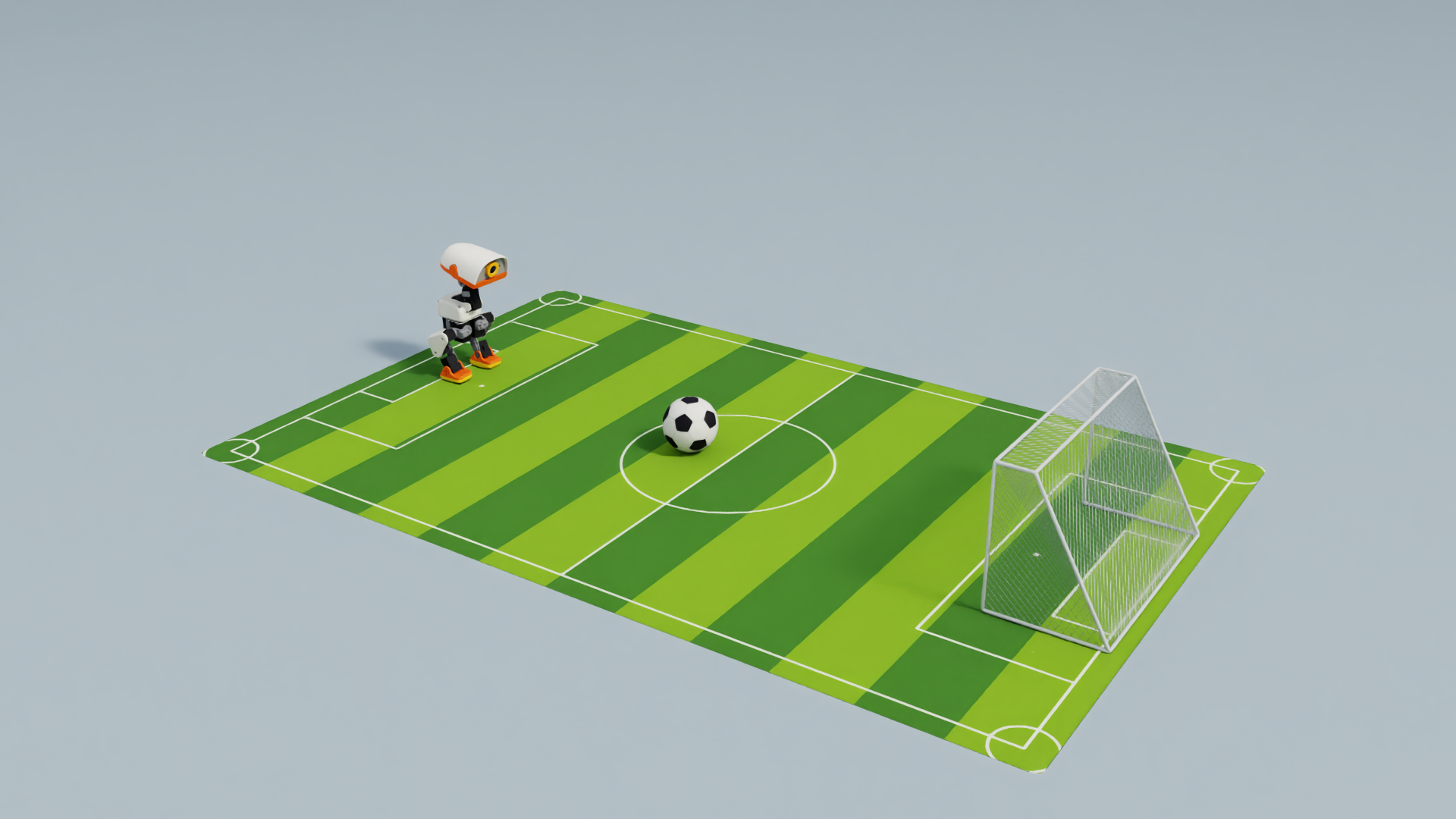
Complete setup and run the command below from the repository root. Click the Isaac Sim window to focus it. The robot, ball and goal use the same dimensions and physical settings as the autonomous task. Use an English keyboard input mode so an IME does not consume movement keys.
python3 scripts/workshop.py manual \
  --seconds 600 \
--output outputs/manual-football-01| Key | Action |
|---|---|
| W / S | Forward / backward |
| A / D | Step left / right |
| Q / E | Turn left / right |
| Release movement keys | Stand with zero velocity command |
| Space | Right-foot kick, then stand |
| R / Esc | Restart / exit |
Walk toward the ball, stop with the ball in front of the right foot, and face the goal before pressing Space. Reposition after a miss; press R after a fall. You choose the target and direction; the policies coordinate the joints.
Default standing is the walking policy responding to zero movement commands. Getting up after a fall, sitting and rolling are separate skills. The keyboard lab starts its policy on the contact surface. Chapter 6 additionally gates autonomous detection on settled body motion and observations.
Try a gliding shot on passive wheels
This run uses the roller model from initialization to the end. Its four wheels are passive; the same 14 servos propel, steer and brake through leg posture. It never switches to walking or invokes a leg kick. First observe coasting after key release, then practise slowing early so the ball enters the goal while the robot stops before it.
Close the previous scene, then run the command below in the same terminal. --locomotion rollers selects the roller physics model and fixed actor, writing to a new output directory.
python3 scripts/workshop.py manual \
  --locomotion rollers \
  --seconds 600 \
--output outputs/manual-rollers-01| Key | Meaning in roller mode |
|---|---|
| W | Push forward |
| S | Brake briefly and observe; holding it can reverse motion |
| Q / E | Turn left / right |
| Release keys | Coast; this does not guarantee a stop |
| Space | Run a bounded gliding-shot helper; no leg kick |
| R / Esc | Reset / exit; A and D do not strafe |
Use W, Q and E to bring the ball in front of a wheel, then brief S presses to control approach speed; after alignment, you can also try the Space helper. The roller push input is not a velocity target in metres per second. Compare the modes: a walking shot settles before kicking; a gliding shot transfers momentum through moving contact and then brakes.
Roller mode initializes in a stationary roller posture. Official tyre visuals, mass and inertia are retained; rolling contacts use cylinders 30 mm in diameter and 7.6 mm wide, simplifying the rounded shoulders. Keyboard, football and slope roller experiments share this configuration. Real tyre friction and deformation remain uncalibrated.
How Isaac Sim builds the experiment
Scroll horizontally to view the full diagram
The robot USD includes joints, collision geometry and inertial properties. The ball has a 5 cm radius and 30 g mass; the goal opening is 38.8 cm wide. Isaac Sim provides the scene and rendering; Isaac Lab configures the Newton physics backend.
cfg.scene.ball = RigidObjectCfg(
    prim_path="{ENV_REGEX_NS}/Ball",
    spawn=sim_utils.SphereCfg(
        radius=0.05,
        mass_props=sim_utils.MassPropertiesCfg(mass=0.03),
        collision_props=sim_utils.CollisionPropertiesCfg(),
        rigid_props=UsdPhysicsRigidBodyCfg(rigid_body_enabled=True),
    ),
    init_state=RigidObjectCfg.InitialStateCfg(pos=(0.0, 0.0, 0.05)),
)
# Apply the shared official-ball asset, goal and floor materials.
scene_profile = configure_football(cfg, style="A")
Fix the scene and hardware contract
The indoor scene uses a 1 × 1.6 m mat, a secured steel-mesh goal measuring 40 cm wide × 20 cm deep × 25 cm high, and an official black-and-white ball with a 10 cm diameter and 30 g mass. This supports short approaches and shots, not arbitrary obstacle avoidance in a confined space. With an assumed 6 mm frame diameter, post centres are 39.4 cm apart and the clear opening is 38.8 × 24.4 cm. Localization uses centre spacing; scoring uses the clear opening.
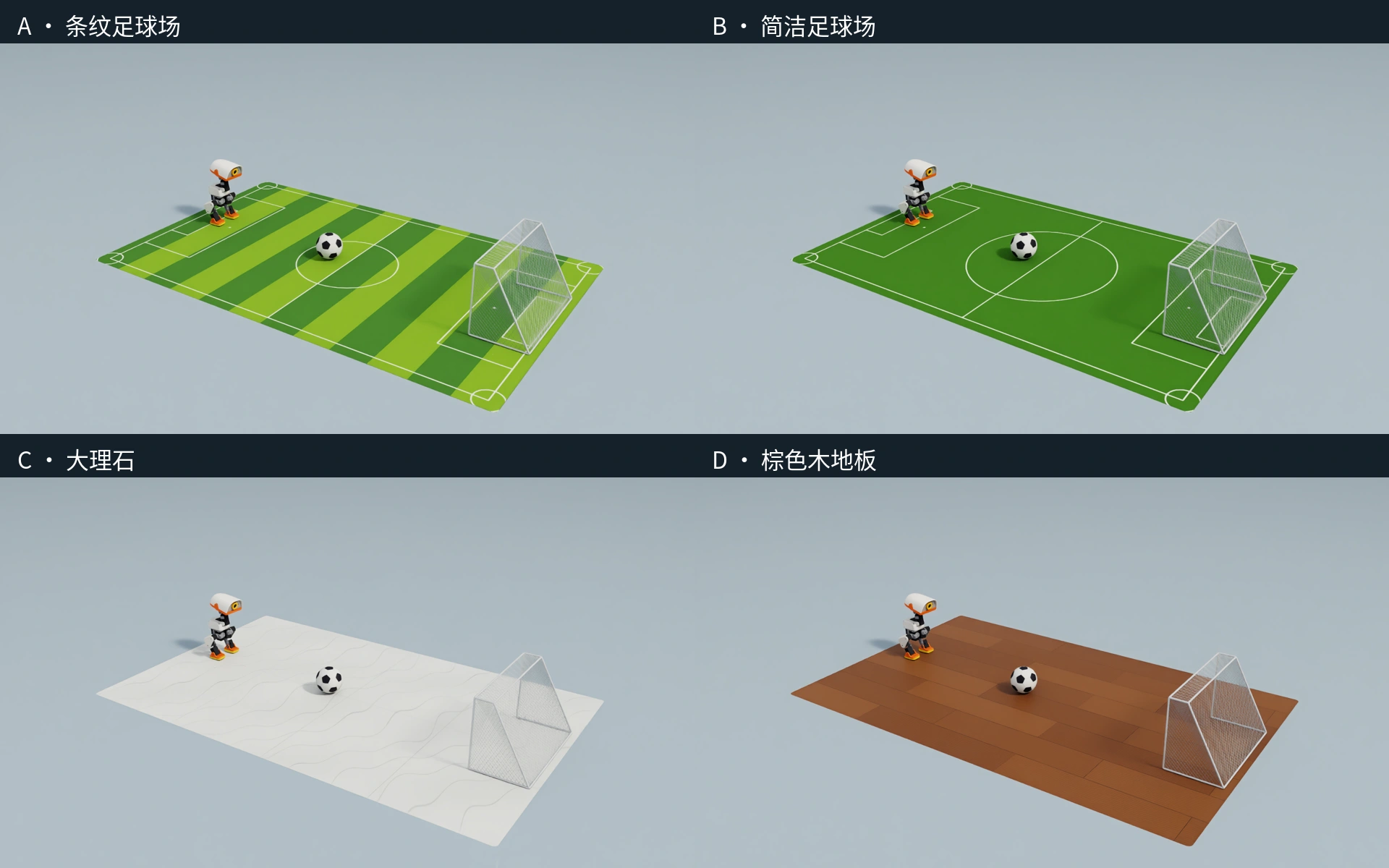
Choose two football graphics, pale marble or brown wood within the same 1 × 1.6 m area, robot and lighting. The fixed steel-mesh goal has trapezoidal sides and a sloping back, following the product photo. Frame and wires collide; the floor is a rigid plane without foam compression or raised edges. Different textures do not imply calibrated physical friction for each real surface.
The robot uses official Microduck CAD with backlash and full-body collisions. The course pins the XL330 BAM actuator fit, 200 Hz physics and 50 Hz actor updates. The walking actor controls 14 of the 15 physical servos; it does not independently drive the mouth. Full-body collision geometry allows the head, legs and battery to rest on the ground after a fall.
This is a versioned simulation configuration. The camera corresponds to GC2093, but simulation samples at 960 × 540 and 15 Hz with an uncalibrated 70° horizontal field of view. ToF and body IMU models also contain approximations. This does not establish parity with every latest firmware or hardware error, nor validate full deployment on RK3566. Check the real hardware revision, voltage, joint offsets, lens parameters and end-to-end delay before transfer.
Comparison with upstream on 23 October 2026 found no changes to the pinned CAD meshes, base mass/joint parameters or motor fit. This scene adds the official full-body contact configuration. The mechanical viewer retains the Pi Zero 2 W board mesh in the CAD, while current Beta software targets RK3566. The displayed board is not evidence of the latest electronics.
How walking mode switches between gait and kick policies
| File | Size | Role |
|---|---|---|
| walk.onnx | 793,705 bytes, about 0.79 MB | Walking and standing |
| kick-teacher.onnx | 793,685 bytes, about 0.79 MB | Right-foot kick |
The walking and kicking combination retains the fixed official weights used in the existing task validation; those files are not the latest browser walking weights. The roller lab separately uses the verified browser roller model. Hardware correspondence, policy identity and task success require separate checks.
Both actors map 61 observations to 14 joint actions through hidden layers of 512, 256 and 128 units with ELU activations. Their input normalization is embedded in ONNX. Keyboard commands set velocity, not individual joint angles. A bounded kick blends back to standing; this lab does not load the course residual actor.
# Read the state once per policy step, then select the active skill.
obs = env.observation_manager.compute(update_history=True)["policy"]
action = walk(obs)

if kick_start is not None:
    phase = (step - kick_start) * 0.02
    weight = 1.0 if phase < 0.14 else max(0.0, 1.0 - (phase - 0.14) / 0.12)
    if weight:
        action = torch.lerp(action, kick(obs), weight)

# The action manager maps network outputs to joint targets.
env.action_manager.process_action(action)
The lab holds the kick for 0.14 s and blends back over 0.12 s. This is a handoff setting, not retraining of the official weights. Small policy files do not imply a small simulator memory footprint.
python3 scripts/workshop.py inspect-model --model models/walk.onnxWho decided the next step?
Check your understanding
Which decisions did you make for the robot?
Show explanation
You identified the ball and goal, estimated distance, selected a route and stance, and decided when to kick. Chapter 6 shows an engineered pipeline; Chapters 7–9 explore learned policies and task agents.
Next, inspect the mechanism and the timing between policy and physics.